Overview
A complete solution to manage your scheduled posts in WordPress with Schedule Calendar, Auto Scheduler, Auto Social Sharing and much more.
Schedule Calendar
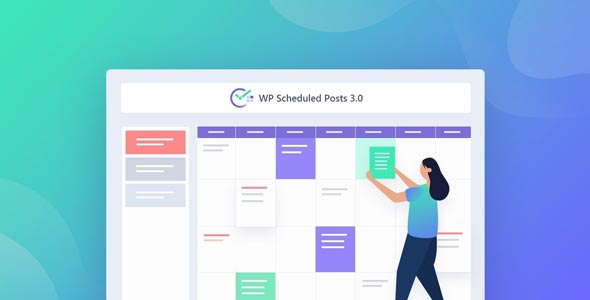
Manage your content with a great visual calendar. Supports drag and drop organization and you can create new posts right from the calendar.
Auto Scheduler
Get absolute control over your content schedule. Save your precious time and automate all the posts you want to share during your preferable time.
Auto Social Sharing
Share your WordPress Blog Posts automatically on Twitter & Facebook. Increase your content visibility on Social Media to get more traffic & engagement.
Missed Schedule Handler
WordPress might miss the schdule for a post for various reason. WP Scheduled Posts will take care of this to publish the missed schedule.
What's included
- The full pluginEvery file from the developer's release, in one zip.
- Unlimited sitesInstall it on your own and your clients' sites.
- GPL licensedFree to use, study and modify.
- No paymentFree to download, no card needed.
How to install
- 1Download the zip file from this page.
- 2In WordPress, go to Plugins → Add New → Upload Plugin.
- 3Choose the zip, click Install Now, then Activate.
Questions
Is this the developer's own release?
Yes. It is the release published by the original developer, redistributed under the GNU General Public License. The GPL allows anyone to share and resell the code.
Do I get a license key or automatic updates?
No. License keys, one-click updates and support come from the developer's own paid plans. To update, download the newer version here when it is listed and install it over the old one.
Can I use it on more than one site?
Yes. The GPL puts no limit on the number of sites, including client sites.
Why is it free?
During our launch every download that is available on GPL Store is free. Nothing is charged and no card is asked for.