Overview
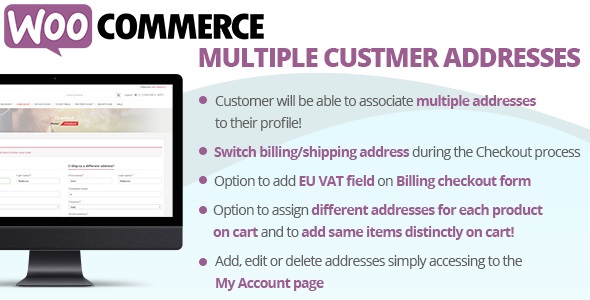
The WooCommerce Multiple Customer Addresses (WCMCA) will allow your registered customers to associate multiple addresses to their profile and optionally different products address on Checkout page!
THE IDEA AND HOW IT WORKS
The idea behind the plugin is to have let the customer to easily save multiple billing and/or shipping addresses to be lately used during the checkout process.
Furthermore, the plugin allows the user to save new addresses also directly in the checkout page! In this way the user, once saved an address (by accessing the My Account page or directly in the Checkout page) will be able to select on the fly as shipping and/or billing address any previously saved address!
NEW WCMCA now allows your customers to assign different shipping addresses for each product during the Checkout process!
ADD, EDIT AND DELETE ADDRESSES
Simply accessing to the My Account page every customer will be able to add, edit or delete additional billing and/or shipping addresses that lately could be used during the checkout process as shipping or billing address. Before saving an address, the plugin performs a validation process on postcode (according the selected country), email and phone number fields. For each address the user will be also able to set default addresses option, in this way the marked address will be the one automatically loaded as billing/shipping address on checkout form!
DISABLE MULTIPLE ADDRESSES FOR SPECIFIC ADDRESS TYPE
Would you like to disable the multiple addresses for billing or shipping address type? You can! go to the WooCommerce -> Multiple Customer Addresses Options menu and disable the option do display multiple addresses selection for billing and/or shipping addresses!
CHECKOUT
During the checkout process the customer will be able to switch on the fly addresses or add new ones! All done using a select menu seamless integrated in the checkout page!
What's included
- The full pluginEvery file from the developer's release, in one zip.
- Unlimited sitesInstall it on your own and your clients' sites.
- GPL licensedFree to use, study and modify.
- No paymentFree to download, no card needed.
How to install
- 1Download the zip file from this page.
- 2In WordPress, go to Plugins → Add New → Upload Plugin.
- 3Choose the zip, click Install Now, then Activate.
Questions
Is this the developer's own release?
Yes. It is the release published by the original developer, redistributed under the GNU General Public License. The GPL allows anyone to share and resell the code.
Do I get a license key or automatic updates?
No. License keys, one-click updates and support come from the developer's own paid plans. To update, download the newer version here when it is listed and install it over the old one.
Can I use it on more than one site?
Yes. The GPL puts no limit on the number of sites, including client sites.
Why is it free?
During our launch every download that is available on GPL Store is free. Nothing is charged and no card is asked for.