Overview
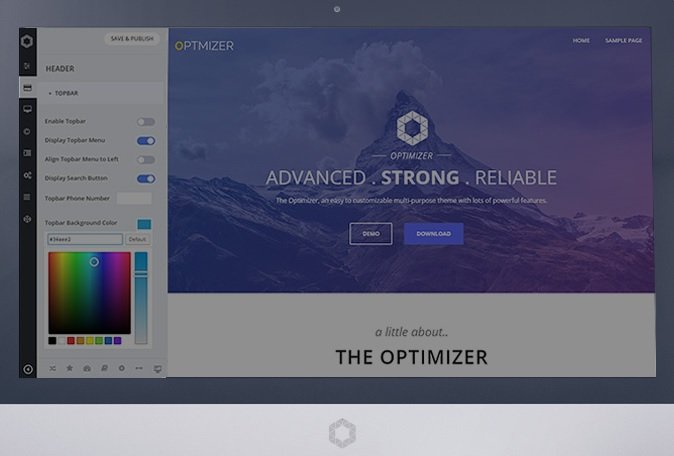
Optimizer PRO makes customization easy. No coding skill required.
- No Widget Limitations and 16 more widgets.
- Add widgets to any page you want.
- 100 of more options.
- Improved Performance and Fast Support.
- All Your Settings from the Free version will be intact.
POWERFUL WIDGET MANAGEMENT
Remove all Limitations and Manipulate the Widgets any way you want
WIDGET MANIPULATION
With Optimizer PRO you can easily manipulate widgets by
# altering their width and putting them side by side,
# duplicating them
# Saving them as presets.
20 BEAUTIFUL WIDGETS
Optimizer PRO comes with 15 More Widgets as opposed to the free version which includes only 4 widgets.
NO WIDGET LIMITATION
In Optimizer PRO you can add unlimited number of widgets on your frontpage whereas you can only 4 widgets in the free version.
ADD WIDGETS ON ANY PAGE
In Optimizer PRO you can add any widgets to any of your pages, not just the frontpage.
ADVANCED THEME FEATURES
27 PRESET TEMPLATES
Optimizer PRO comes with 27 preset templates which is included for free. Import preset templates to your site and start building upon them instead of starting from scratch.
40 SHORTCODES
Optimizer PRO includes 40 useful shortcodes like buttons, maps, columns, cta, slider, Pricing box etc. Check out the full list here.
160 THEME OPTIONS
You will have access to 70 more advanced options that will help you create a more advanced Wordpress website.
4 GALLERY STYLES
Instead of the default flat gallery, with Optimizer PRO you will be able to choose the gallery layout while you build your gallery.
LINK TO WIDGETS
With Optimizer PRO you will be able to link your menu items to your widgets and you can also link your Slider buttons to your widgets. So when users click the button they will be taken to that widget.
CUSTOM FONT UPLOAD
In Optimizer PRO you are not limited with 600 Google fonts you can also import your own font and use it everywhere.
What's included
- The full themeEvery file from the developer's release, in one zip.
- Unlimited sitesInstall it on your own and your clients' sites.
- GPL licensedFree to use, study and modify.
- No paymentFree to download, no card needed.
How to install
- 1Download the zip file from this page.
- 2In WordPress, go to Appearance → Themes → Add New → Upload Theme.
- 3Choose the zip, click Install Now, then Activate.
Questions
Is this the developer's own release?
Yes. It is the release published by the original developer, redistributed under the GNU General Public License. The GPL allows anyone to share and resell the code.
Do I get a license key or automatic updates?
No. License keys, one-click updates and support come from the developer's own paid plans. To update, download the newer version here when it is listed and install it over the old one.
Can I use it on more than one site?
Yes. The GPL puts no limit on the number of sites, including client sites.
Why is it free?
During our launch every download that is available on GPL Store is free. Nothing is charged and no card is asked for.