Overview
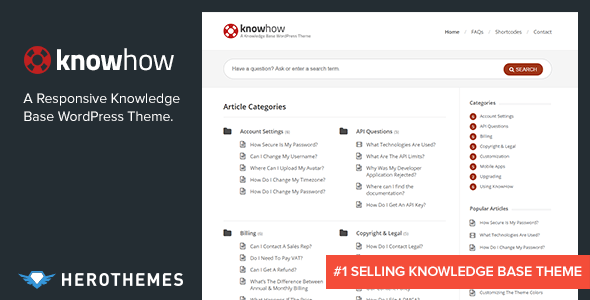
A WordPress Knowledge base without the monthly subscription. KnowHow helps you setup a Knowledge Base in WordPress in less time than it takes to brew a coffee.
It’s perfect for providing a support resource for your customers and is super easy to manage.
- Responsive Design
- Choose Your Own Theme Colour (via Colour Picker)
- Video Post Format Support (YouTube, Vimeo Embed & Self Hosted)
- Simple Unbranded Theme Options
- Multilevel Animated Navigation
- 2 Custom Widgets (Latest Articles & Popular Articles)
- Shortcode (Flexible Columns, Buttons, Alerts, Toggles,Tabs & Accordions) – Plus add shortcodes directly from the editor
- Great SEO Built-In
- Ready for translation (.po / .mo files included)
- Great Support From An Elite Author
- Well Documented
- HTML5 & CSS3
What's included
- The full themeEvery file from the developer's release, in one zip.
- Unlimited sitesInstall it on your own and your clients' sites.
- GPL licensedFree to use, study and modify.
- No paymentFree to download, no card needed.
How to install
- 1Download the zip file from this page.
- 2In WordPress, go to Appearance → Themes → Add New → Upload Theme.
- 3Choose the zip, click Install Now, then Activate.
Questions
Is this the developer's own release?
Yes. It is the release published by the original developer, redistributed under the GNU General Public License. The GPL allows anyone to share and resell the code.
Do I get a license key or automatic updates?
No. License keys, one-click updates and support come from the developer's own paid plans. To update, download the newer version here when it is listed and install it over the old one.
Can I use it on more than one site?
Yes. The GPL puts no limit on the number of sites, including client sites.
Why is it free?
During our launch every download that is available on GPL Store is free. Nothing is charged and no card is asked for.