Overview
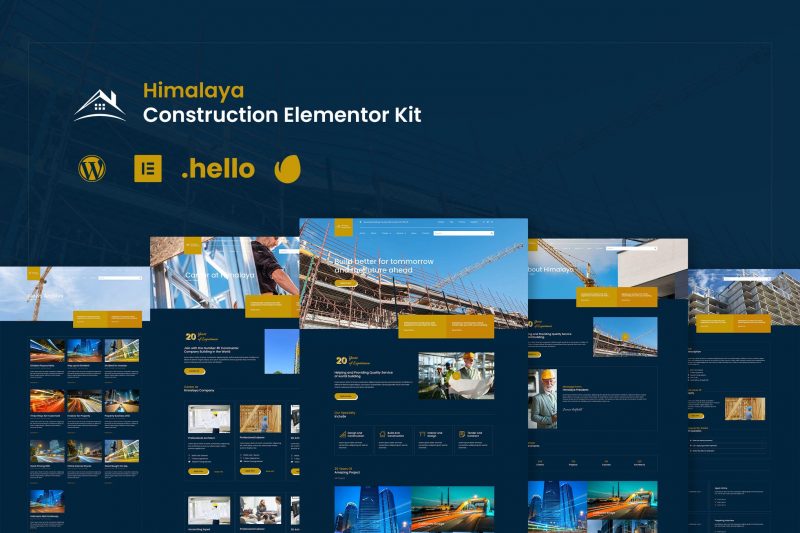
Introducing Himalaya Construction Elementor Kit. This kit is designed for your Construction Website. It rich with construction features for your company website. Get this template kit to create your construction company website in a minutes! No need to have basic programming to have this kit, just install and drop your content inside the template.
### Page Templates
- Homepage
- About
- Career Page
- Career Layout Page
- Service Page
- Study Case Page
- Blog
- Single Blog
- Contact
- Single 404
- Single Search Result
### Sections
- Header Style 1
- Study Case Slide
- Pop Up Job Apply Registration
- Pop Up Testimonial
- Team Layout
- Timeline
- Testimonial
- Gallery
- Post Tabs
- And so On
### Required Plugins (will be installed automatically)
- Elementor
- Elementor Pro (You Need to Purchase this Plugin Seperately)
- Premium Addons for Elementor
- Power Pack Lite for Elementor
- Element Kit Lite For Elementor
- Essential Addons for Elementor
- ElementsKit Lite
- Happy Elementor Addons
How to Install Install and Activate the Envato Elements plugin from Plugins > Add New in WordPress, then activate your subscription. Premium kits may be loaded directly from the Premium Kits library. Manual import: Do not unzip the download. Upload the Kit zip under Elements> Installed Kits by clicking the Import Kit button. Before importing a template, ensure the Install Requirements button is clicked to activate required plugins. For best results, do not import more than one template at a time.
How to Install the Slider
- Import the slider
- Make the copy of main slider
- Import the homepage
- Click section to Carousel Widget
- Choose Repeater Tab and Choose the Slide Template
- Set the hashtag of each slide (For Instance #slidelayout-1)
- Go to Main Slider Section,
- Click the color button of the slide
- Click Advance and set the CSS ID to slidelayout-1 (without hash)
What's included
- The full template kitEvery file from the developer's release, in one zip.
- Unlimited sitesInstall it on your own and your clients' sites.
- GPL licensedFree to use, study and modify.
- No paymentFree to download, no card needed.
How to install
- 1Download the zip file from this page.
- 2In WordPress, open Elementor → Tools → Import / Export Kit.
- 3Start the import, choose the zip and pick the parts you want.
Questions
Is this the developer's own release?
Yes. It is the release published by the original developer, redistributed under the GNU General Public License. The GPL allows anyone to share and resell the code.
Do I get a license key or automatic updates?
No. License keys, one-click updates and support come from the developer's own paid plans. To update, download the newer version here when it is listed and install it over the old one.
Can I use it on more than one site?
Yes. The GPL puts no limit on the number of sites, including client sites.
Why is it free?
During our launch every download that is available on GPL Store is free. Nothing is charged and no card is asked for.