Overview
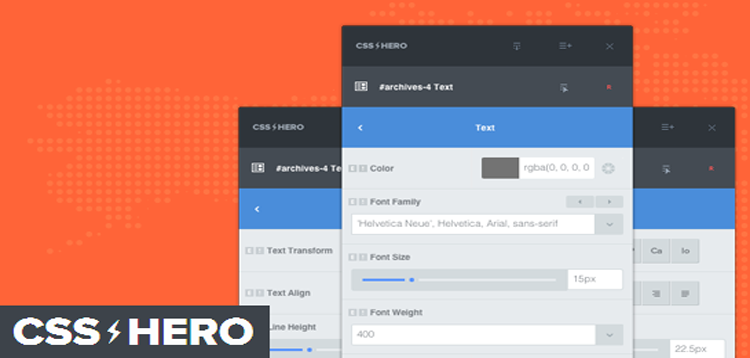
CSS Hero Pro 4 is the definitive WordPress plugin to easily customize the look of your site, with an easy and intuitive point and click interface.
Customize Responsively
CSS Hero allows you to easily edit, preview and control how your site displays on desktop and handheld devices. Use standard breakpoints or your custom ones.
Font Styles and Typography
Add a touch of class with your own fonts, a huge collection of Google Fonts is at your fingertips. TypeKit fonts are supported as well.
Color Management
Use a color picker to experiment live color and background changes like never before. Hero also stores your latest used colors, and helps building a consistent color palette.
Adjust Measures
Easily tune element margins and paddings: just drag a slider and view what happens.
UnSplash Integration
Ever wanted a nearly unlimited source of high quality, royalty-free, amazing pictures right at your fingertips? We’ve got you covered.
Complex CSS Made simple
Spice up your site elements: building gradients, box-shadows, text-shadows and all the modern CSS properties is now a point and click affair.
Readymade Snippets
Pre-made editable style combinations ready to boost your creativity with one click!
Undo / Redo History
We all design by experimentation. Ouch! Need to undo? Don’t panic. CSS Hero automatically stores all your edits in a detailed history list, going back and forward in history steps is as easy as clicking the undo\redo buttons.
No vendor lock-in
Export your work as CSS, LESS, JSON data: you can export your site personalizations instantly and download it to file, for backup purpose as well.
CSS Code Editor
Review, refine and edit the generated CSS code while being able to quickly debug your work if needed.
Style As Unlogged
Style your website while having a real glance of how it will look like for your unlogged users.
Style Login Page
Styling WordPress log-in page has always been painful, forget about it, you can now style it in a breeze with CSS Hero.
Save CheckPoints
Store snapshots of your edits without having to push them live, store different versions, choose the one you prefer and go live.
What's included
- The full pluginEvery file from the developer's release, in one zip.
- Unlimited sitesInstall it on your own and your clients' sites.
- GPL licensedFree to use, study and modify.
- No paymentFree to download, no card needed.
How to install
- 1Download the zip file from this page.
- 2In WordPress, go to Plugins → Add New → Upload Plugin.
- 3Choose the zip, click Install Now, then Activate.
Questions
Is this the developer's own release?
Yes. It is the release published by the original developer, redistributed under the GNU General Public License. The GPL allows anyone to share and resell the code.
Do I get a license key or automatic updates?
No. License keys, one-click updates and support come from the developer's own paid plans. To update, download the newer version here when it is listed and install it over the old one.
Can I use it on more than one site?
Yes. The GPL puts no limit on the number of sites, including client sites.
Why is it free?
During our launch every download that is available on GPL Store is free. Nothing is charged and no card is asked for.