Overview
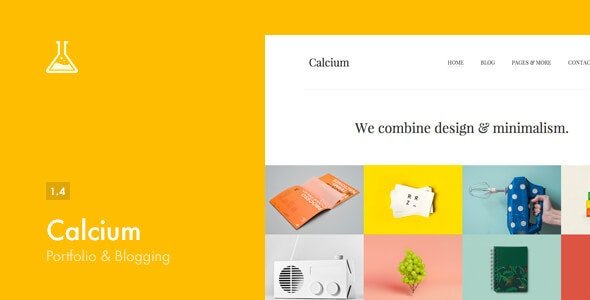
Calcium – is a Responsive WordPress theme, primarily developed for Blog and Portfolio usage. It supports two types of header, two skins, custom fonts and many other options to customize the theme look and feel.
MAIN FEATURES
- Light Skin
- Dark Skin
- Font Selector
- Use a custom font
- Custom CSS
- Design the Homepage Layout (Change Order)
- Quotes
- Blog Widget Manager
- Contact Form Widget
- Custom HTML Content
- Home Menu Link Icon
- Responsive and Retina Display Theme
- Translatable Theme – WPML Support
- Backup and restore theme settings
- Header v1 – Logo on the left, menu on the right
- Header v2 – Logo and menu centered
- Logo with font
- Upload your custom logo (+ Retina Display)
- Sidebar (Enable/Disable)
- Sidebar Menu Left or Right
- Sidebar Icon Trigger Position
- Social Network Ordering
- Google Analytics Tracker
PORTFOLIO
- Isotope Portfolio Filtering
- 4 Columns Portfolio
- 3 Columns Portfolio
- 2 Columns Portfolio
- Portfolio Item Position – Left, Right, Top, Bottom
- Interactive Item Details
- Native Item Details
- Items per page – Select how many items to show on a page
- Endless Scroll
- Normal (Paginated)
- Portfolio images Auto Switch Time
- Post Sharing (Enable/Disable)
- Likes (On/Off)
- Filter by Category (Enable/Disable)
- Change Date Format
BLOG
- Archives Page – Choose from post type
- Breadcrumbs (Show/Hide)
- Thumbnails (Show/Hide)
- Author Info (Show/Hide)
- Category (Show/HIde)
- Tags (Show/Hide)
- Set Thumbnail Size
SHORTCODES
- Grid
- Buttons
- Tabs
- Accordions
- Alert Boxes
- Breadcrumbs
- Pricing Tables
What's included
- The full themeEvery file from the developer's release, in one zip.
- Unlimited sitesInstall it on your own and your clients' sites.
- GPL licensedFree to use, study and modify.
- No paymentFree to download, no card needed.
How to install
- 1Download the zip file from this page.
- 2In WordPress, go to Appearance → Themes → Add New → Upload Theme.
- 3Choose the zip, click Install Now, then Activate.
Questions
Is this the developer's own release?
Yes. It is the release published by the original developer, redistributed under the GNU General Public License. The GPL allows anyone to share and resell the code.
Do I get a license key or automatic updates?
No. License keys, one-click updates and support come from the developer's own paid plans. To update, download the newer version here when it is listed and install it over the old one.
Can I use it on more than one site?
Yes. The GPL puts no limit on the number of sites, including client sites.
Why is it free?
During our launch every download that is available on GPL Store is free. Nothing is charged and no card is asked for.